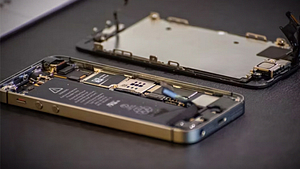

The use of smartphone cameras has become handy in capturing daily images, ranging from snapshots to more professional photos. However, at times, it is irritating due to the fact that the phone camera fails to focus, and all the images appear blurry. Focus issues can destroy the photo, whether you are taking a quick shot or trying to capture a very important moment.
The good news is that most of the issues of focus can be corrected once you are aware of what is wrong. This guide will discuss the most frequent reasons why your phone camera does not focus and what you can do to resolve it fast.
Common Reasons Why Your Phone Camera Is Blurry or Not Focusing
1. Dirty or Smudged Camera Lens
A dirty lens is one of the easiest causes of the camera not focusing.
Your phone is usually left in pockets, bags, and hands, which are prone to dust, prints, and grease. A minor stain can prevent the camera focus and capture blurry images.
Quick Fix
- Clean the lens with a small microfiber cloth.
- Do not use coarse materials that may scratch it.
- Wet the cloth a little with lens cleaner, if necessary.
The quickest method of getting the lens back to focus is to clean the lens.
2. Camera App Glitches
There are cases when the issue is not the hardware but the camera application itself. Even when the hardware and lens are in good condition, temporary bugs may render the camera out of focus.
What You Can Do
- Open and close the camera app.
- Restart your phone
- Clean up camera application cache (Android devices)
A reboot usually clears up small high-tech flaws in the software that disrupt focus.
3. Phone Case Blocking the Lens
Some phone cases are not perfectly designed for specific models. If the camera cutout doesn’t align properly, it may partially cover the lens or interfere with the autofocus sensor.
This can lead to a phone’s rear camera’s blurry effect in photos, especially in low light.
Solution
Remove the case temporarily and take a photo. If the focus improves, consider switching to a better-fitting case.
4. Autofocus Sensor Problems
The latest phones have sophisticated autofocus to keep the subjects in focus. These sensors may malfunction due to dust, wear or damage.
When the phone fails to focus even after lens cleaning and automatic restart, then it may require professional intervention.
Signs of Autofocus Failure
- The focus continues back and forth.
- The camera only concentrates on specific distances.
- The shaking of the phone will fix the problem.
In that instance, it might be necessary to repair or replace the camera module.
5. Software Updates Causing Camera Bugs
Occasionally, a system update can introduce unexpected camera problems. Some users report a phone camera is blurry after the update, where photos become less sharp, or autofocus behaves differently.
Possible Fixes
- Restart the phone after the update
- Update all apps in the app store
- Reset camera settings
Manufacturers often release patches to fix such issues in later updates.
6. Problems with the Front Camera
If your selfies appear blurry, the issue may be related specifically to the front camera. A blurry phone front camera problem is often caused by fingerprints, screen protectors covering the lens, or lighting conditions.
Tips for Better Selfies
- Clean the front camera area
- Avoid covering the lens with a screen protector
- Use good lighting when taking selfies
Good lighting alone can significantly improve camera focus.
7. Android Camera Focus Issues
Many Android users occasionally face the Android camera not focusing issue due to software conflicts or outdated apps.
How to Fix It
- Update your phone software
- Reset camera settings
- Boot the phone in safe mode to check for third-party app conflicts
These steps usually solve focus problems without requiring hardware repair.
8. iPhone Camera Focus Problems
Apple users sometimes experience the iPhone camera not focusing problem, especially if the phone has been dropped or exposed to moisture.
Things to Try
- Tap the screen to manually focus
- Restart the device
- Update iOS to the latest version
If none of these work, the camera module may need inspection.
Why Professional Repair Is Better Than DIY?
While online tutorials may make repairs look simple, modern iPhones are complex devices. One wrong move can damage cables, sensors, or the logic board. Professional technicians offer:
- Accurate diagnosis
- Proper tools and safe repair methods
- Warranty-backed repairs
- Peace of mind
In the long run, expert iPhone repair often saves money by preventing repeat issues or accidental damage.
When You Should Consider Professional Repair
If you have tried all the basic troubleshooting steps and the phone camera not focusing issue still persists, it may indicate hardware damage.
Common hardware causes include:
- Faulty autofocus motor
- Damaged camera sensor
- Internal lens misalignment
Professional technicians can diagnose the exact issue and replace the camera module if necessary.
Get Your Camera Fixed Today!
Poor photo quality ruining your memories? Let Mobile Experts diagnose and repair your phone camera for clear, crisp photos again.
Conclusion
The low-resolution smartphone camera can be very frustrating, particularly when you use it to record the memories of your normal day. The issue in most situations can be resolved through cleaning of the lens, restarting the phone, and changing camera settings.
Nevertheless, when the problem persists despite these solutions, then you may require expert servicing. This is because, with professional assistance, you are guaranteed that your camera will be back to normal, without the possibility of any additional damage.
When the camera seems to be experiencing persistent issues, Mobile Experts technicians can examine your gadget, identify the cause, and offer quality repair advice to regain the camera functionality of your phone.