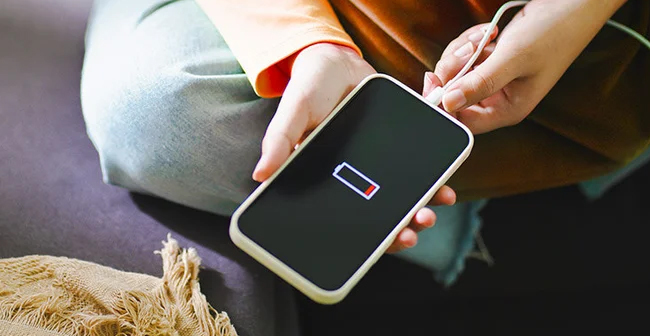
Is your phone battery draining fast even when you’re barely using it? You’re not alone. One of the most frequent issues that smartphone customers complain about is battery issues. It can be frustrating when your phone lasts just a couple of hours or when you have to charge your phone overnight, and you have no phone in case of work, traveling or other everyday communication.
This guide will explain why batteries run out of charge, provide some tips that you can apply now and explain how to know when you need to change the battery.
Why Is My Phone Battery Draining So Quickly?
A smartphone battery draining quickly can happen for many reasons. Some are simple settings issues, while others may point to hardware problems. Finding the reason is the first thing that needs to be done to fix it.
Let’s explore the most common reasons.
1. Background Applications are running at all times
- Checking the use of the battery in settings.
- Turn off the background activity of unnecessary apps.
- Get rid of the apps you don’t use often.
2. High Screen Brightness and Display Settings
Your screen consumes the most battery power. Keeping brightness at maximum or using live wallpapers can drain power quickly.
Quick fixes:
- Enable auto-brightness.
- Reduce screen timeout duration.
- Switch to dark mode if available.
- Disable always-on display (if not needed).
These small changes can significantly improve battery life.
3. Poor Network Signal
When your phone struggles to find a signal, it uses more power searching for network connectivity. This is a common reason behind sudden battery drain on a phone, especially in low-signal areas.
Try this:
- Turn on Aeroplane Mode in areas with no signal.
- Switch to Wi-Fi when available.
- Disable 5G if you don’t need high-speed data.
4. Battery Draining Overnight
If you notice your phone battery draining overnight, even when it’s not in use, background syncing or system updates may be responsible.
How to reduce overnight drain:
- Turn off Wi-Fi and mobile data before sleeping.
- Close unnecessary apps.
- Enable battery saver mode.
- Check for pending system updates.
Ideally, a phone should lose only 3–5% charge overnight.
5. Software Updates and Bugs
Sometimes, after an operating system update, users experience temporary battery drain. This happens because the system reindexes files and adjusts to new features.
If your android battery draining fast issue started after an update:
- Restart your phone.
- Clear cache partition (Android).
- Reset settings (if needed).
For iphone battery draining fast, check:
- Background app refresh settings.
- Location services.
- iOS updates that may fix bugs.
Software-related drain is usually temporary and resolves within a few days.
6. Old or Degraded Battery
All smartphone batteries have a limited lifespan. After 2–3 years, battery health declines naturally. If your device heats up quickly or drops from 40% to 10% suddenly, the battery may be worn out.
Signs your battery needs replacement:
- Battery percentage fluctuates randomly.
- Phone shuts down at 15–20%.
- The device gets unusually hot while charging.
- Charging takes much longer than before.
At this stage, fixing settings won’t help much.
7. Charging Habits That Reduce Battery Life
Your charging habits also impact long-term performance.
Avoid:
- Letting the battery drop to 0% frequently.
- Charging to 100% all the time.
- Using low-quality chargers.
- Charging overnight every day.
Better habits:
- Keep the battery between 20% and 80%.
- Use original or certified chargers.
- Avoid using the phone heavily while charging.
These practices extend battery lifespan.
8. Malware or Suspicious Apps
If your phone suddenly slows down and heats up, it may be due to malware or a hidden app running in the background.
Steps to fix:
- Install apps only from official stores.
- Check app permissions.
- Run a security scan.
- Remove suspicious apps immediately.
This is an often-overlooked cause of phone battery draining fast problems.
When Should You Replace the Battery?
If you’ve tried all troubleshooting steps and still face constant drain, replacement may be the only solution.
Consider replacing the battery if:
- Battery health is below 80%.
- The device is over 2–3 years old.
- Drain happens even in standby mode.
- The phone doesn’t last half a day on moderate use.
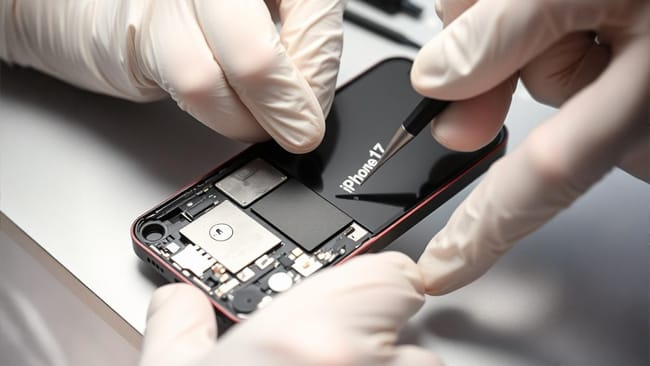
A professional battery replacement is usually more affordable than buying a new phone.
Professional Diagnosis Matters
Sometimes, the issue isn’t just the battery. It could be:
- Faulty charging port
- Damaged motherboard
- Power IC problems
- Software corruption
Getting a professional diagnosis ensures you don’t spend money unnecessarily.
Restore Your Phone’s Battery Life Today!
If your phone battery draining fast issue is affecting your daily routine, don’t ignore it. Visit a Mobile Experts for a quick inspection and honest advice before deciding to upgrade your phone.
Final Thoughts
Battery drain is annoying, and, in the vast majority of cases, the solution is not as complicated as you might imagine. Small changes can be made, whether it is changing the environment and getting rid of background apps or better charging habits.
In case the battery is old or spoiled, replacement is the most intelligent option. You can always take your device to the professionals rather than charging it all the time.
To obtain a high-quality battery change, reliable diagnosis, and professional mobile restoring services, put your phone under the care of Mobile Experts so that you can prolong the life and performance of your phone.